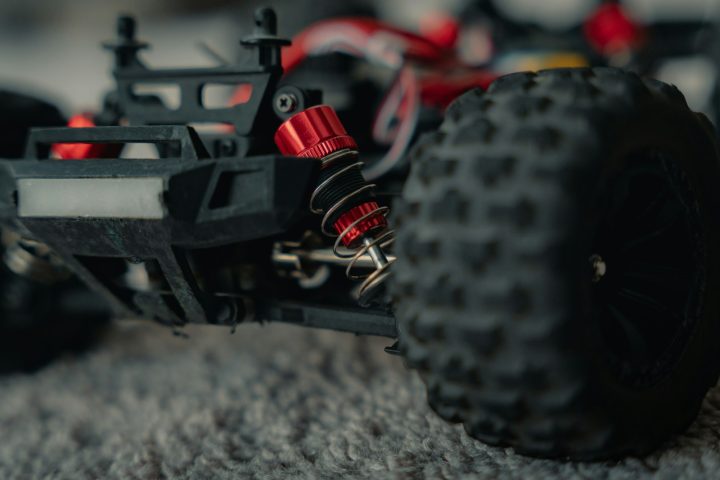
How to Adjust RC Car Steering for Precision

Photo: @asphotographypics via Unsplash
In this article
Affiliate disclosure: As an Amazon Associate, RemoteControlCarsBlog may earn from qualifying purchases.
Twitchy, vague, or pulling to one side? Dialing in your steering is the cheapest upgrade in RC — and most of it is free. Here’s how to get crisp, accurate control.
Here’s the great news: most of what makes RC steering precise is free. A few adjustments on your radio and a couple of tweaks on the car can transform a twitchy, wandering mess into a car that goes exactly where you point it. And when you do want hardware, a quality RC steering servo See servos on Amazon #ad takes it even further.
In this guide, we’ll explain every key steering adjustment in plain English, give you a simple step-by-step tuning order, and include a troubleshooting chart to fix common problems fast. By the end, your car will track straight, turn crisply, and feel planted at speed. Let’s dial it in. 🎯
📋 What’s Inside (Table of Contents)
- Why steering precision matters
- Know your steering system
- The key adjustments explained
- What each adjustment does
- How to dial in precision (step-by-step)
- Troubleshooting chart
- Eliminate slop (the precision killer)
- Should you upgrade your servo?
- Common mistakes (and fixes)
- Pro tips
- Real-life examples
- FAQ
- Final checklist
🎯 Why Steering Precision Matters
Precise steering is the difference between fighting your car and flowing with it. When steering is dialed in, the car goes exactly where you aim it — smooth lines, confident corners, and no nasty surprises at speed.
Sloppy or twitchy steering does the opposite. The car darts, wanders, or feels vague, so you’re constantly correcting. That leads to crashes, slower laps, and frustration. It also masks your real driving skill — you can’t drive smoothly if the car won’t respond smoothly.
The best part? Most precision gains cost nothing. They come from understanding a handful of adjustments and setting them up correctly. Whether you race, drift, bash, or cruise, dialed-in steering makes everything better.
Precise steering is the cheapest upgrade in RC. Before you spend a dollar on parts, spend ten minutes dialing in what you already have. The difference is night and day. 🎯
🔩 Know Your Steering System
Before adjusting, it helps to know the parts involved. Don’t worry — it’s simple.
- The transmitter (radio). Your controller. It has steering trim, dual rate, exponential, and endpoint settings — the “software” side of tuning.
- The steering servo. The little motor that turns the wheels. Its speed, torque, and centering accuracy directly affect precision.
- The servo saver. A spring-loaded part that protects the servo from impacts. Its tension hugely affects steering feel — too loose equals vague steering.
- The linkage (tie rods/turnbuckles). The adjustable rods connecting the servo to the wheels. Their length sets your alignment.
- Steering geometry. Things like toe (the angle the wheels point) that shape how the car turns and tracks.
Precision comes from getting both sides right: the radio settings (the easy, free part) and the mechanical setup (tight, well-adjusted hardware). We’ll cover both.
🛠️ The Key Adjustments Explained
1. Steering trim
This is step one. Trim centers your steering so the car drives dead straight when you’re not touching the wheel. If your car pulls left or right on a straight, nudge the steering trim on your radio until it tracks true.
2. Endpoint adjustment (EPA)
EPA sets how far the servo travels each direction. Set it so the wheels reach full turn both ways without the servo straining or the linkage binding. If you hear the servo buzzing at full lock, dial the EPA back — binding kills precision and burns out servos.
3. Dual rate
Dual rate limits your maximum steering at full input. Turning it down means the wheels turn less at full lock, which makes steering calmer and less twitchy — perfect for high speed and on-road. Turn it up for sharper, more aggressive turning. It’s your main “twitchiness” dial.
4. Exponential (expo)
Expo is the secret weapon for smoothness. It softens the response around center, so small steering inputs produce small, gentle reactions, while you still get full lock at the ends. Adding steering expo makes the car far less darty and much easier to drive precisely at speed.
5. Servo saver tension
Here’s a sneaky one. If your servo saver is too loose, the steering feels vague and mushy because the saver flexes instead of turning the wheels. Tightening it (or upgrading to a better one) sharpens response a lot. Just don’t make it so stiff it can’t protect the servo in a crash.
6. Toe (alignment)
Toe is the angle the front wheels point, set by adjusting the tie-rod length. A little toe-in (fronts angled inward) adds straight-line stability and calmer steering. A little toe-out (fronts angled outward) sharpens turn-in for more aggressive response. Tune to taste.
7. Caster & camber (advanced)
More caster adds stability and self-centering for smoother steering; less makes it more aggressive. Camber (wheel tilt) mainly affects cornering grip. These are finer adjustments to explore once the basics above are dialed.
📊 What Each Adjustment Does
🔧 How to Dial In Precision (Step-by-Step)
Tune in this order for the fastest, cleanest results. Each step builds on the last.
- Center and trim. With the wheels centered, adjust steering trim so the car drives perfectly straight when you’re not steering.
- Set the endpoints (EPA). Turn full lock each way and make sure the wheels reach maximum turn without the servo straining or anything binding. Back off the EPA if you hear buzzing.
- Tune dual rate. If the car is too twitchy or turns too sharply, lower the dual rate until the steering feels controllable, especially at speed.
- Add expo. Dial in some steering expo to soften the center. This smooths out small corrections and makes the car much easier to drive precisely.
- Check the servo saver. Make sure it’s snug, not loose and mushy. Firm it up (or upgrade) for crisper response, while keeping enough give to protect the servo.
- Set the toe. Adjust tie-rod length for a touch of toe-in (stability) or toe-out (sharper turn-in), based on how you want the car to feel.
- Remove any slop. Tighten loose linkages and replace worn parts (more below) so nothing flexes or wiggles.
- Test and fine-tune. Drive, observe, and make one change at a time. Small tweaks, then re-test — that’s how pros dial it in.
🔍 Troubleshooting Chart
Got a specific steering problem? Find the symptom and the fix here.
🔧 Eliminate Slop (the Precision Killer)
Here’s a truth many beginners miss: all the radio tuning in the world won’t help if your steering has mechanical “slop” — loose, worn, or wiggly parts. Slop means you turn the wheel and nothing happens until the slack is taken up, which feels vague and imprecise.
To hunt down slop, gently wiggle the front wheels and watch the steering parts. Look for play in the tie-rod ball ends, worn bushings, a loose servo horn, sloppy steering blocks, or a too-loose servo saver. Each tiny bit of play adds up to mushy steering.
The fixes are simple: tighten loose screws and ball ends, replace worn ball ends and bushings, add quality bearings, and make sure the servo horn is tight. Removing slop is one of the biggest precision upgrades you can make, and it’s often nearly free.
⚙️ Should You Upgrade Your Servo?
Once you’ve nailed the free adjustments and removed slop, the biggest hardware upgrade for precision is the steering servo itself. A cheap, slow, plastic-gear servo can feel vague and lose its center over time.
A quality servo — especially a digital one with metal gears — holds center far better, responds faster, and has more torque to turn the wheels accurately under load. The improvement in steering crispness can be dramatic, particularly on faster or heavier cars. See upgrade servos on Amazon #ad
That said, do the free tuning first. Many drivers chase a new servo when their real problem was a loose servo saver or too much dual rate. Fix those, and you may not need to spend anything at all.
⚠️ Common Mistakes (and Easy Fixes)
Mistake 1: Changing several things at once.
You can’t tell what worked. Fix: Adjust one setting, test, then move on.
Mistake 2: Ignoring the servo saver.
A loose one causes vague steering. Fix: Firm it up (or upgrade) before blaming the servo.
Mistake 3: Maxing out EPA so it binds.
Binding strains and kills servos. Fix: Set EPA for full turn with no buzzing.
Mistake 4: Skipping expo for high speed.
The car feels darty and nervous. Fix: Add expo to smooth the center.
Mistake 5: Tuning the radio but ignoring slop.
Mechanical play undoes your settings. Fix: Tighten and replace worn steering parts.
🔥 Pro Tips
- Tune on your real surface. Set up steering on the surface you actually drive, since grip changes how it feels.
- Use more expo at higher speeds. Fast on-road and bashing benefit from a softer center; tight technical driving can use less.
- Save your settings. If your radio has model memory, save your dialed-in setup so you never lose it.
- Keep ball ends fresh. Worn ball ends are a top hidden source of slop. Replace them when they loosen.
- Re-check after crashes. Impacts knock trim and alignment off. A quick re-check keeps steering precise.
Precision isn’t one magic setting — it’s the sum of trim, travel, expo, a snug servo saver, good alignment, and zero slop. Stack those, and your car will carve exactly where you point it. 🎯
💬 Real-Life Examples
❓ Frequently Asked Questions
Why does my RC car pull to one side?
Usually the steering isn’t centered. Use the steering trim on your radio to bring it back to straight. If trim doesn’t fully fix it, check your toe alignment and look for mechanical slop or a bent part in the steering linkage.
How do I stop my steering from being so twitchy?
Add steering exponential (expo) to soften the response near center, and lower the dual rate to reduce maximum steering. Together these calm a darty car and make it much easier to drive smoothly, especially at higher speeds.
What is the difference between dual rate and expo?
Dual rate limits the maximum amount the wheels turn at full input. Expo changes the sensitivity around center without reducing full lock — small inputs become gentler. Use dual rate to cap overall steering, and expo to smooth fine control.
What is toe-in and toe-out?
Toe is the angle the front wheels point. Toe-in (fronts angled inward) adds straight-line stability and calmer steering. Toe-out (fronts angled outward) sharpens turn-in for more aggressive response. You set it by adjusting the tie-rod length.
Why does my steering feel vague or mushy?
The most common causes are a too-loose servo saver and mechanical slop in the linkage. Firm up the servo saver and tighten or replace worn parts like ball ends. A weak or worn servo can also cause it, but check the cheap fixes first.
Do I need to upgrade my servo for precision?
Not always. First do the free tuning and remove slop — that solves most precision problems. If steering still feels weak or loses center, a quality digital metal-gear servo holds center better and responds faster, which can be a big improvement on fast or heavy cars.
✅ Precision Steering Checklist
- ✅ Trimmed so the car tracks dead straight.
- ✅ Endpoints set for full turn with no binding.
- ✅ Dual rate tuned to calm twitchiness.
- ✅ Expo added for a smooth center.
- ✅ Servo saver snug, not sloppy.
- ✅ Toe set for your desired feel.
- ✅ All slop tightened or replaced.
- ✅ Servo upgraded only if still needed.
Bottom line: precise RC steering is mostly about understanding a few simple adjustments and setting them in the right order. Trim it straight, set your travel, tame twitchiness with dual rate and expo, firm up the servo saver, dial your toe, and kill any slop. Do that — almost all of it free — and your car will steer exactly where you aim it. 🎯🚗
Tune the rest of your ride with our guides on
RC upgrades,
RC tools,
RC racing cars, and
the best RC cars.

admin
Our editors are RC drivers first: every guide is written by someone who has owned, broken and rebuilt the category they cover. No paid placements, no fabricated ratings.