Ultimate Guide to Mounting a GoPro on an RC Car for Epic FPV Footage

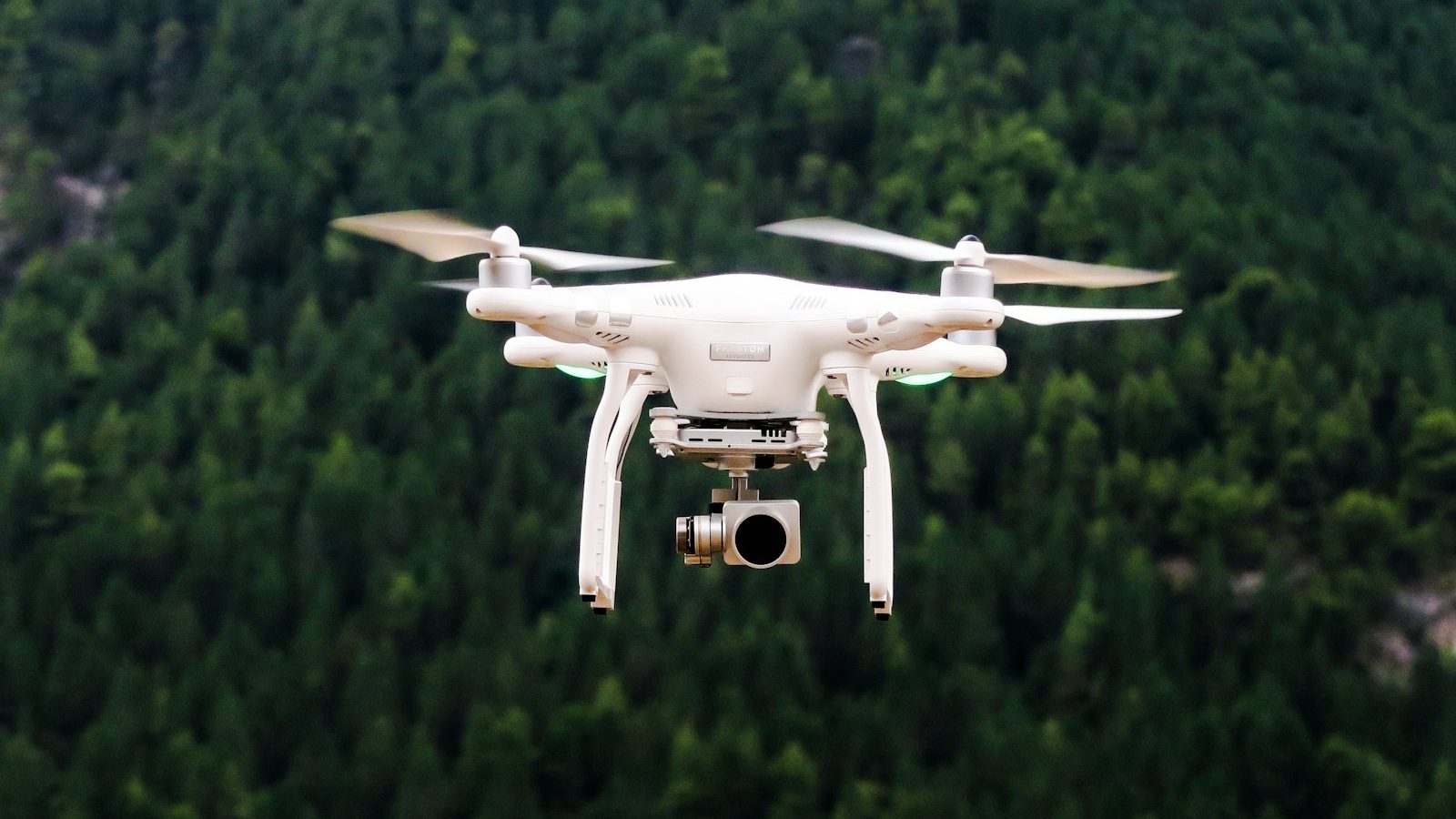
Photo: @jasonblackeye via Unsplash
In this article
Affiliate disclosure: As an Amazon Associate, RemoteControlCarsBlog may earn from qualifying purchases.
Ultimate Guide to Mounting a GoPro on an RC Car for Epic FPV Footage (2026)
Strap a GoPro to your RC car and ordinary driving turns into jaw-dropping, ground-level action footage. Here’s how to mount it right, kill the shakes, dial in the settings, and keep it safe.
REC
Here’s the magic: mount a GoPro action camera See options on Amazon #ad on your RC car, hit record, and suddenly your backyard looks like a movie set. Low to the ground, the sense of speed is unreal — jumps feel huge, drifts look cinematic, and every run becomes share-worthy footage.
But there’s a right way to do it. Mount it wrong and you get a shaky, blurry mess — or you lose your camera in a crash. This ultimate guide walks you through where to mount it, how to attach it securely, how to kill the shakes, the best settings, and how to protect your gear. Let’s roll camera. 🎥
📋 What’s Inside (Table of Contents)
- What you’ll capture (and what “FPV” means)
- What you need
- Where to mount it (positions compared)
- How to mount it (step-by-step)
- Kill the shakes: vibration tips
- Best camera settings (cheat sheet)
- Weight & balance
- Protect your camera
- Want true live FPV?
- Common mistakes (and fixes)
- Pro tips for epic footage
- FAQ
- Final checklist
🎬 What You’ll Capture (and What “FPV” Really Means)
Mounting a GoPro on your RC car gives you incredible onboard footage — video shot from the car’s point of view. Because the camera sits inches off the ground, everything looks faster and bigger. Small jumps look massive. Drifts look pro. A simple lap around the yard becomes a thrilling action clip.
Let’s clear up one thing, though, because it’s worth knowing. People often call this “FPV footage,” and that’s fine as everyday slang. But there’s a real difference. A GoPro records video you watch after the run. True FPV (“first-person view”) means watching a live video feed while you drive — usually through goggles or a screen — which needs a special FPV camera, a video transmitter, and a receiver.
So which do you want? For most people, a GoPro is perfect. You get gorgeous, shareable footage with zero extra electronics. If you specifically want to drive by the camera view in real time, that’s true live FPV — we’ll cover the upgrade path later. For now, this guide is about capturing epic recorded footage with a GoPro.
A GoPro turns your RC car into a tiny stunt cameraman. You don’t see it live — you relive it after, in glorious, ground-level slow motion. 🎥
🧰 What You Need
The good news: you don’t need much. Here’s the short list to get rolling.
- An action camera. A GoPro is the classic choice for its rugged build and excellent stabilization. The current flagship HERO13 Black has great features, while the smaller, lighter compact HERO is ideal for RC because less weight up top means better handling. Any modern action cam works. See GoPro cameras on Amazon #ad
- A mount. An adhesive mount kit (sticky bases) is the simplest. A clamp or roll-bar mount is great if your car has a cage or bar. See mount kits on Amazon #ad
- An anti-vibration mount (optional but great). A small rubber or gel dampener between the car and camera soaks up shake for smoother footage.
- A tether or lanyard. A simple safety leash so a hard crash doesn’t send your camera flying off, never to be found.
- A microSD card. Fast, with plenty of space for high-resolution video.
- A capable RC car. One sturdy enough to carry the extra weight without flipping constantly. More on balance below.
📍 Where to Mount It (Positions Compared)
Mounting spot changes everything about your footage — the look, the stability, and how the car handles. Here are the main options and what each gives you.
The best starting point? The roof or top of the body. It’s stable, gives a clean classic point-of-view shot, and is easy to mount. Once you’ve nailed that, experiment with a low front or rear angle for variety. The lower you go, the faster and more dramatic the footage feels.
🔧 How to Mount It (Step-by-Step)
Here’s the simple, reliable way to get your GoPro mounted and ready to film.
- Pick your spot. Start with a flat area on the roof or top of the body. Make sure the camera won’t block steering, the antenna, or the body clips.
- Clean the surface. Wipe the mounting spot with rubbing alcohol and let it dry. Adhesive mounts only stick well to a clean, dry, grease-free surface.
- Attach the base. Press the adhesive mount firmly in place and let it cure (a few hours is best for a strong bond). For a cage or bar, use a clamp or roll-bar mount instead — no adhesive needed.
- Add an anti-vibration pad. If you have one, place a rubber or gel dampener between the base and the camera to reduce shake.
- Secure the camera. Clip the GoPro into the mount and tighten the thumbscrew firmly. Aim it level, pointing slightly down for a grounded, fast look.
- Add a tether. Run a small lanyard from the camera to a solid point on the car. This saves your GoPro if the mount pops off in a crash.
- Check balance and clearance. Make sure the car still drives level and the camera doesn’t hit the wheels or ground. Lift the car and turn the wheels to check.
- Do a test run. Record a short, slow run first. Watch it back to check the angle, stability, and that nothing’s loose. Adjust, then go have fun.
📳 Kill the Shakes: Vibration Tips
Shaky, wobbly footage is the #1 thing that ruins RC videos. RC cars buzz and bounce a lot, and that vibration shows up as a jittery, jelly-like wobble. Here’s how to fight it.
- Turn on stabilization. Modern GoPros have powerful built-in stabilization (HyperSmooth) that smooths out bumps automatically. Switch it on — it’s a game-changer.
- Use an anti-vibration mount. A rubber or gel dampener between the car and camera absorbs the buzz before it reaches the lens.
- Mount low and solid. A low, rigid mounting point shakes less than a tall mast. The higher and wobblier the mount, the worse the jello.
- Balance your tires and check the car. Worn, out-of-balance, or loose parts add vibration. A well-maintained car films smoother.
- Drive a touch smoother. Brutal full-throttle bashing looks wild but shakes hard. Mixing in some smooth, flowing driving gives you cleaner clips.
⚙️ Best Camera Settings (Cheat Sheet)
Great footage is half mounting, half settings. You don’t need to be a pro — just start with these and tweak from there.
Shooting at a high frame rate is the secret sauce. It lets you slow the footage down in editing for those buttery slow-motion jumps and drifts that look amazing. Wide field of view makes the car feel like it’s flying, and stabilization keeps it all watchable.
⚖️ Weight & Balance
A GoPro isn’t heavy, but on a small RC car it matters. Added weight up high raises the center of gravity, which makes the car more likely to tip or roll in fast turns and landings. Two simple rules keep this in check.
Mount low and central when you can. The lower and more centered the camera, the less it upsets the car’s balance. A roof mount is fine, but avoid tall masts on tippy cars.
Use a capable car. A bigger, sturdier truck or basher handles the extra weight far better than a tiny, lightweight car. If your car suddenly flips a lot with the camera on, it’s a sign the weight is too high or the car’s too small. A lighter camera, like a compact action cam, also helps a lot.
🛡️ Protect Your Camera
RC cars crash. It’s part of the fun — but your GoPro doesn’t have to suffer for it. A few habits keep your camera safe.
- Always use a tether. A simple lanyard means a popped-off camera dangles instead of disappearing into the grass or a puddle.
- Use protective housing or a lens cover. A clear case or lens guard shields the camera from scratches, dirt, and impacts.
- Position it away from the worst impacts. A roof mount usually takes less of a hit than an exposed front bumper.
- Check the mount before every session. Make sure the adhesive is still strong and the thumbscrew is tight.
- Start slow on new setups. Confirm everything’s secure at low speed before sending big jumps.
A two-cent tether can save a several-hundred-dollar camera. Never run without one. It’s the cheapest insurance in the hobby. 🎥
🥽 Want True Live FPV?
If you love the idea of driving from the car’s point of view — seeing the live view as you steer — that’s true FPV, and it’s a fun upgrade. A GoPro alone can’t do this, because it records rather than broadcasting a live feed to you in real time.
For real-time FPV, you add three things: an FPV camera on the car, a video transmitter that beams the live picture, and goggles or a screen to watch it as you drive. Many people run both — an FPV setup to drive by, plus a GoPro to record clean, high-quality footage at the same time. The GoPro captures the keeper clips; the FPV feed lets you pilot it.
If you’re just starting, keep it simple with a GoPro first. Master the mounting and footage, and add a live FPV system later if you catch the bug. See FPV kits on Amazon #ad
⚠️ Common Mistakes (and Easy Fixes)
Mistake 1: Sticking the mount on a dirty surface.
It pops off on the first jump. Fix: Clean with alcohol, dry, and let the adhesive cure before driving.
Mistake 2: Forgetting the tether.
One bad crash and your camera is gone. Fix: Always run a lanyard to a solid point.
Mistake 3: Leaving stabilization off.
The footage comes out shaky and unwatchable. Fix: Turn on HyperSmooth (or your cam’s stabilization) every time.
Mistake 4: Mounting too high on a small car.
It flips constantly. Fix: Mount low and central, or use a bigger, sturdier car.
Mistake 5: Filming everything at one boring angle.
Footage gets repetitive. Fix: Try low front shots, rear chase shots, and slow-motion runs for variety.
🔥 Pro Tips for Epic Footage
- Film near objects for speed. Driving close to grass, curbs, cones, or walls makes the car look way faster than in an open field.
- Shoot in good light. Bright daylight gives the sharpest, smoothest footage. Low light looks grainy and blurry at speed.
- Use slow motion for jumps. Record at a high frame rate and slow down the jump in editing — it looks epic every time.
- Get low for drama. A low or front-mounted angle exaggerates speed and makes small jumps look huge.
- Edit to music. A short clip cut to a beat, with a couple of slow-mo moments, turns raw footage into a video people actually want to watch.
❓ Frequently Asked Questions
Is mounting a GoPro the same as FPV?
Not exactly. A GoPro records footage you watch afterward, which people often loosely call “FPV footage.” True live FPV means watching a real-time video feed while you drive, using a dedicated FPV camera, a transmitter, and goggles or a screen. For most people, a GoPro’s recorded footage is all they want.
Where’s the best place to mount a GoPro on an RC car?
Start on the roof or top of the body. It’s stable, gives a clean point-of-view shot, and is easy to mount. Once you’re comfortable, try a low front mount for an aggressive, fast feel, or a rear mount for chase shots and rooster tails.
How do I stop my footage from being shaky?
Turn on your camera’s stabilization (like HyperSmooth), use an anti-vibration mount, and mount the camera low and solid rather than on a tall mast. Keeping your car well-maintained and mixing in smoother driving also helps a lot.
Will the GoPro affect how my car drives?
A little. The extra weight up high raises the center of gravity, so the car may tip or roll more easily in fast turns and jumps. Mount it low and central, use a sturdy car, and ease into higher speeds. A lighter, compact action cam reduces the effect.
What settings should I use?
Turn on stabilization, shoot in 4K or 2.7K at 60fps or higher, use a wide field of view, and enable horizon lock if you have it. The high frame rate lets you create smooth slow motion, and the wide view makes the car feel fast.
Can I use a cheaper action camera instead of a GoPro?
Yes. Many affordable action cameras work well and use the same style of mounts. A GoPro is popular for its durability and strong stabilization, but any modern action cam with good stabilization will capture great RC footage.
✅ Your Mounting Checklist
- ✅ Picked a flat, clear mounting spot (roof to start).
- ✅ Cleaned the surface and let the adhesive cure.
- ✅ Added an anti-vibration pad if you have one.
- ✅ Secured the camera and aimed it slightly down.
- ✅ Attached a safety tether.
- ✅ Checked balance, clearance, and that nothing’s loose.
- ✅ Turned on stabilization and set 4K/60fps + wide FOV.
- ✅ Did a slow test run and reviewed the footage.
Bottom line: mounting a GoPro on your RC car is one of the most fun, rewarding things you can do with the hobby. Mount it solid and low, tether it, turn on stabilization, shoot in high frame rate, and ease into the speed. Do that, and you’ll capture epic, ground-level footage that makes every run look like a movie. Now go hit record. 🎥🚗
Ready to film? See our guides on
the best RC cars,
RC bashers,
RC monster trucks, and
RC tools.

admin
Our editors are RC drivers first: every guide is written by someone who has owned, broken and rebuilt the category they cover. No paid placements, no fabricated ratings.