Building a Self-Driving Remote Control RC Car at Home: A Beginner’s Guide

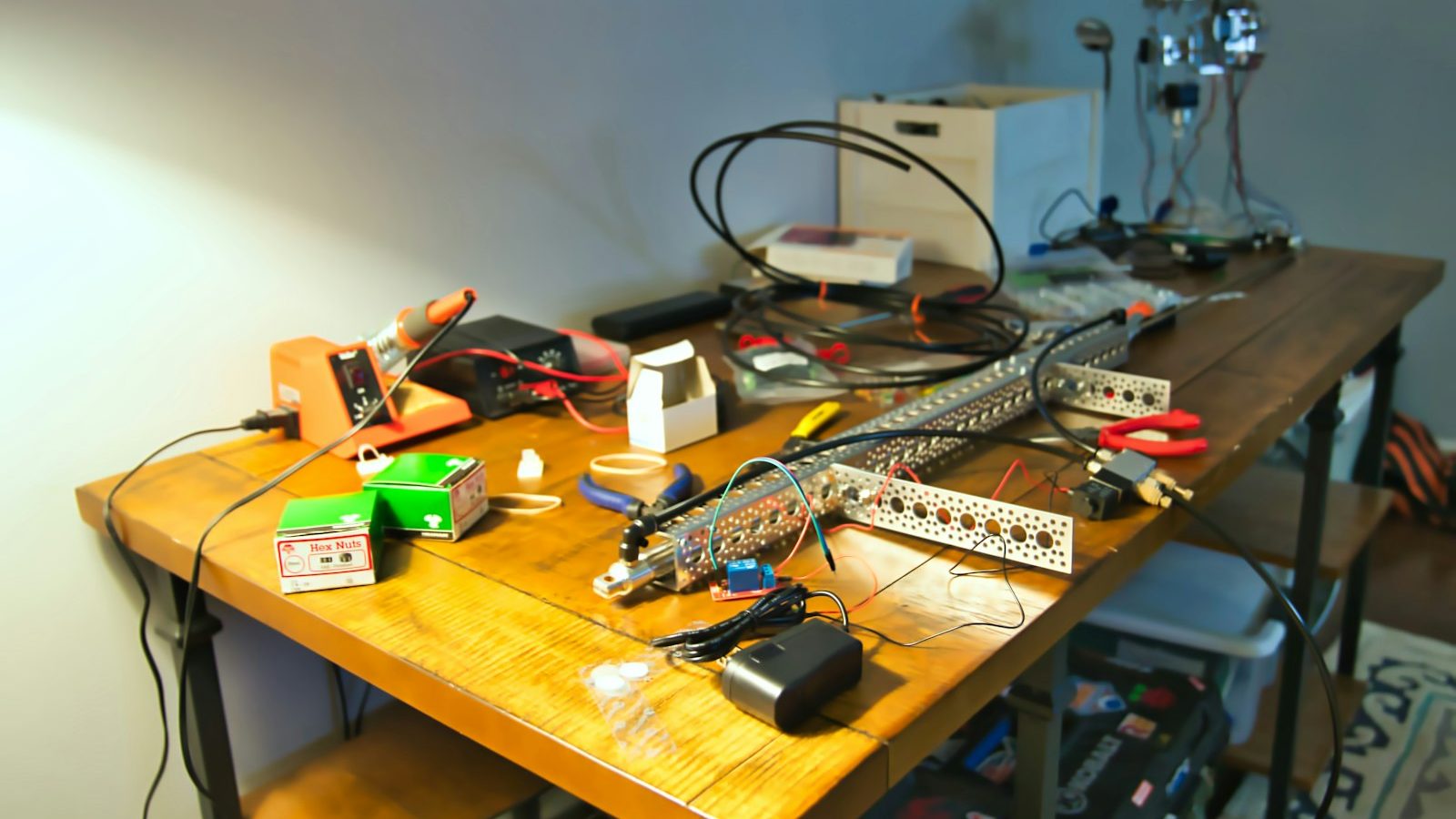
Photo: @cbpsc1 via Unsplash
In this article
Affiliate disclosure: As an Amazon Associate, RemoteControlCarsBlog may earn from qualifying purchases.
Yes, you can build a little car that drives itself — on your kitchen table, this weekend, with no engineering degree. Here’s exactly what you need and how to do it, step by step.
Here’s the big idea, right up front: building a self-driving RC car See options on Amazon #ad at home is far easier than it sounds. You don’t need to write code from scratch or build robots for a living. With a small RC car, a tiny computer, a camera, and some free open-source software, you can teach a car to drive itself around a track — and learn real artificial intelligence while you’re at it.
This guide is written for total beginners. We’ll keep the words simple and explain every term in plain English. You’ll learn what a self-driving RC car really is, the exact parts you need, two clear ways to build one (easy or DIY), and a step-by-step plan to get your car driving on its own. By the end, you’ll have a project that’s genuinely impressive — and a new skill that looks amazing on a resume or a science fair table. Let’s build something cool. 🤖
📋 What’s Inside (Table of Contents)
- What is a self-driving RC car?
- How it actually works (simple version)
- What you need: the parts list
- Choosing the brain (comparison)
- Easy kit vs full DIY build
- The build, step-by-step
- How training the AI works
- Build paths compared
- Common mistakes (and fixes)
- Pro tips for a smoother build
- Real-life examples
- FAQ
- Final checklist
🤖 What Is a Self-Driving RC Car?
A self-driving RC car is a normal radio-controlled car that’s been upgraded with a small computer, a camera, and software — so it can drive around a track without you holding the remote. Instead of you steering, the car looks at the road through its camera, decides where to go, and controls its own steering and speed.
It’s a tiny, friendly version of the same technology used in full-size self-driving cars. The difference is scale and risk: a real autonomous car is a massive, expensive, safety-critical machine, while your little RC car is cheap, safe, and lives on your living-room floor. That makes it the perfect way to learn how this stuff works — you get all the cool ideas with none of the danger.
Why would you want to build one? A few great reasons:
- It teaches real AI. You’ll learn how machines “see,” learn, and make decisions — the foundation of modern artificial intelligence.
- It’s hands-on. Unlike watching videos, you build, wire, and code something physical that moves. That makes the learning stick.
- It’s impressive. A car that drives itself is a showstopper at science fairs, in class, or just for friends.
- It opens doors. The skills you pick up — Python, machine learning, robotics — are exactly what schools and tech jobs value.
The most popular beginner platform for this is an open-source project called DonkeyCar. It’s free, well-documented, and built specifically for hobbyists and students. There’s a big, friendly community around it, and it even includes a simulator so you can practice on a screen before you build anything physical. We’ll lean on that ecosystem throughout this guide because it’s the gentlest on-ramp for beginners.
You’re not building a toy that follows commands — you’re building a car that learns. That single shift, from “remote control” to “self-driving,” is where the magic (and the learning) lives. 🧠
⚙️ How It Actually Works (Simple Version)
Let’s demystify this. A self-driving RC car runs a simple loop, over and over, many times a second. Once you see the loop, the whole project makes sense.
- See. The camera takes a picture of the road ahead — many pictures per second, like a tiny video.
- Think. The little computer looks at each picture and decides: how much to steer and how fast to go.
- Act. The computer sends those decisions to the car’s steering servo and motor, and the car moves.
- Repeat. The loop runs again with the next picture, constantly adjusting. That’s “driving.”
But how does the computer learn what to do? This is the clever part, and it’s called behavioral cloning — a fancy term for “copy the human.” First, you drive the car around the track a bunch of times with a controller. While you drive, the car quietly saves two things together: the camera pictures, and exactly how you steered for each one.
Then you “train a model.” The software studies all those picture-plus-steering pairs and finds the pattern: “when the road curves left in the picture, the human steers left.” Once it learns the pattern, it can steer on its own when it sees a new picture. That trained pattern is called a model or an autopilot. Load it onto the car, flip to self-driving mode, and the car drives the track by itself, copying what it learned from you.
There are other ways to do it too — some setups use computer-vision rules (spot the lane lines and follow them) or even GPS for outdoor driving. But for a first build, the “drive it, train it, watch it copy you” method is the most fun and the easiest to understand. It feels like teaching a pet a trick, and the payoff is huge.
🧰 What You Need: The Parts List
Here’s the good news: a self-driving RC car uses a small, well-understood set of parts. You can buy them separately for a true DIY build, or get most of them in a ready-made kit. Here’s what each piece does and why it matters.
- An RC car chassis. The body, wheels, steering, and motor. A 1/16 or 1/10 scale hobby car works well because there’s room to mount parts. You can build a RC car kit on Amazon #ad as your base.
- The “brain” (a tiny computer). Usually a Raspberry Pi or an NVIDIA Jetson Nano. This runs the software, looks at the camera, and makes the driving decisions.
- A camera. The car’s eyes. A small camera module clips onto the brain and faces forward to see the road.
- A motor controller board. A little board (often a PCA9685 driver) that lets the computer control the steering servo and the speed controller precisely.
- Power. A battery for the car’s motor and a power source (often a USB power bank or battery pack) for the computer brain.
- A microSD card. The brain’s storage, where the software and your saved driving data live.
- A mounting plate & small parts. Something to hold the brain and camera on the car — often a 3D-printed or laser-cut plate, plus screws and standoffs.
🧠 Choosing the Brain (Comparison)
The “brain” is the most important decision, because everything else is built around it. For a first self-driving RC car, you’ve got three sensible choices. Here’s how they stack up.
Raspberry Pi is the classic beginner choice. It’s affordable, it’s everywhere, and almost every DonkeyCar tutorial is written for it. It’s plenty powerful for a first self-driving car, and if you get stuck, a quick search usually finds someone who solved your exact problem. Grab a Raspberry Pi 4 kit on Amazon #ad if you want the friendliest path.
NVIDIA Jetson Nano is a step up. It has more muscle for AI and computer vision, so the car can “think” faster and handle fancier tricks like object detection. It’s a little more advanced to set up, but it’s the better pick if you already have some tech confidence or want headroom to grow. You can find the Jetson Nano on Amazon #ad.
A ready-to-run kit like the Waveshare PiRacer is the easiest of all. It’s a pre-built car platform designed to drop a Raspberry Pi into — the motor controller, mounts, and camera spots are already sorted, so you skip most of the wiring and soldering. It costs more than buying loose parts, but it saves hours and frustration for first-timers.
🛤️ Easy Kit vs Full DIY Build
There are two honest ways to do this project, and the right one depends on how much “building” you actually want to do. Neither is better — they just suit different people.
🟢 Path A: Ready-to-Run Kit
Buy a pre-built platform (like a PiRacer), add the brain, install software, and start driving. Minimal wiring.
Best for: first-timers, parents helping kids, anyone who wants results fast.
🔵 Path B: Full DIY Build
Start with an RC car and add the brain, camera, and motor board yourself. More wiring, more learning.
Best for: tinkerers who want to understand every part and customize freely.
Which should you pick? If this is your very first robotics project, start with Path A. You’ll get a working self-driving car sooner, which keeps motivation high, and you’ll still learn the important parts — installing software, collecting data, and training the AI. Once you’ve tasted success, a Path B build feels far less intimidating.
If you love taking things apart and want maximum control, Path B is deeply rewarding. You’ll learn how every wire and board connects, you can pick a faster car or a better camera, and you’ll be able to fix and upgrade anything. Just budget a bit more time and patience — and maybe a calm evening with the instructions open.
🔧 The Build, Step-by-Step
Here’s the full journey from box of parts to a car that drives itself. Don’t rush — each step is small, and finishing one gives you a little win that powers the next.
- Assemble the hardware. Mount the brain and camera onto the car, and connect the motor controller to the steering servo and speed controller. With a ready-to-run kit, this is mostly plugging things in. With a DIY build, follow the wiring diagram carefully and double-check before powering on.
- Install the software. Flash the brain’s microSD card with the operating system, then install the DonkeyCar software. The official docs walk you through this with copy-paste commands — you don’t have to be a programmer to follow them.
- Calibrate the car. Tell the software how far the wheels turn and how fast the motor should go. This one-time setup makes sure “steer left” really means left and that the car doesn’t rocket off at full speed.
- Drive to collect data. Steer the car around your track several times using a controller or your phone. As you drive, the car saves the camera images and your steering choices together. Aim for smooth, centered driving — the AI copies your style.
- Train the model. Run one training command. The software studies your driving data and builds an autopilot — the “brain pattern” that knows how to steer for each view. This can run on the car, a laptop, or the cloud.
- Let it drive itself. Load the trained model, switch to autopilot mode, and watch your car drive the track on its own. The first clean lap is a genuinely magical moment.
- Improve and repeat. If it wobbles or cuts corners, collect more (and better) driving data and retrain. Each round makes it smarter. That loop — drive, train, improve — is the heart of the hobby.
Set up a simple track to practice on. Two strips of tape on the floor, a loop of rope, or some foam borders all work great indoors. A consistent, well-lit track makes the camera’s job easier and your results far more reliable — lighting matters more than beginners expect.
📚 How Training the AI Works
Training sounds technical, but the idea is simple and the software does the hard math for you. Think of it like teaching a new driver by example. You don’t hand them a rulebook — you let them watch you drive until they get the feel for it.
When you drive your car to collect data, you create a big pile of “snapshots.” Each snapshot is one camera image paired with the steering and speed you used at that moment. Drive ten laps and you might gather thousands of these snapshots. That pile is your training data, and its quality decides how well your car drives.
Training is when the software flips through all those snapshots and learns the connection between what the car sees and what you did. It builds a small neural network — a simplified, computer version of how brains learn patterns. After training, that network can look at a brand-new image and predict the right steering, even on a view it never saw during your driving. That’s the moment a pile of pictures becomes a driver.
You don’t need a powerful computer for a first model. Many beginners train right on the car or on a normal laptop. If you want faster training or want to explore bigger AI ideas later, you can train in the cloud — but that’s an optional upgrade, not a requirement. Start simple, get a win, then level up.
📊 Build Paths Compared
Here’s a quick side-by-side to help you commit to a path before you buy anything.
⚠️ Common Mistakes (and Easy Fixes)
Almost every beginner hits the same few snags. Knowing them ahead of time turns hours of frustration into quick fixes.
Mistake 1: Buying mismatched parts.
A camera or mount that doesn’t fit your brain wastes money. Fix: Pick your brain and build path first, then buy parts that are known to work together (or grab a kit).
Mistake 2: Collecting messy driving data.
Sloppy laps teach the car to drive sloppily. Fix: Drive smooth, centered, consistent laps, and toss out runs where you crashed or weaved.
Mistake 3: Skipping calibration.
Uncalibrated cars veer or sprint out of control. Fix: Do the one-time calibration so steering and speed behave before you collect any data.
Mistake 4: Bad or changing lighting.
The camera gets confused when light changes. Fix: Use steady, even lighting and the same track for collecting data and self-driving.
Mistake 5: Expecting perfection on lap one.
First models often wobble. Fix: Treat it as normal. Collect more good data, retrain, and improve a little each round.
🔥 Pro Tips for a Smoother Build
- Start in the simulator. Learn the drive-train-test loop on screen first. When you switch to real hardware, you’ll already understand the workflow.
- Make a simple, high-contrast track. Dark tape on a light floor (or the reverse) helps the camera see the lane clearly and learn faster.
- Collect data in both directions. Drive the track clockwise and counter-clockwise so the car learns to handle turns both ways.
- Keep cables tidy. Loose wires snag and disconnect mid-drive. Zip-tie everything down before testing.
- Charge everything first. A low battery causes weird, hard-to-diagnose behavior. Start every session fully charged.
- Lean on the community. The DonkeyCar forums and videos have solved nearly every beginner problem. You’re never stuck alone.
The first self-driving lap feels like watching something you made come alive. It takes patience to get there — but the moment the car turns its own corner, you’ll be hooked. 🏁
💬 Real-Life Examples
This isn’t a niche hobby for elite engineers. Regular people — students, parents, and weekend tinkerers — build these all the time. Here are the kinds of stories that show up across the community.
❓ Frequently Asked Questions
Do I need to know how to code to build one?
Not really. The popular DonkeyCar software gives you copy-paste commands and clear guides, so you can complete a first build by following steps. You’ll pick up some Python along the way, and that light exposure is a bonus, not a barrier.
Is this expensive?
It’s a mid-range hobby, not a cheap toy and not a luxury. A DIY build’s cost depends on the parts you choose, and a ready-to-run kit bundles most of it together. The free DonkeyCar simulator lets you learn the whole process first without spending anything, which is a smart way to start.
Raspberry Pi or Jetson Nano — which should a beginner pick?
Start with a Raspberry Pi. It’s cheaper, it has the biggest beginner community, and almost every tutorial assumes it. Move to a Jetson Nano later if you want more AI power for things like object detection or faster decision-making.
How long does it take to build?
With a ready-to-run kit, you can be driving in a few hours and self-driving the same day or next. A full DIY build is more of a weekend project. The software and first training run usually take an evening once the hardware is ready.
Why does my car drive badly after training?
Almost always it’s the data or the lighting. If you drove messy laps, the car copies that. If the light changed between collecting data and self-driving, the camera gets confused. Collect clean, centered laps under steady light, then retrain — it usually fixes it.
Is it safe? Are there battery concerns?
It’s a small, low-speed indoor project, so it’s very safe — but it does use lithium batteries. Charge them with the right charger, never leave them charging unattended, stop if a pack looks swollen or feels hot, and follow your car’s and charger’s manuals. Adult supervision is wise for any soldering steps.
✅ Your Final Checklist
Ready to start? Run through this before you buy or build, and your first self-driving car will come together far more smoothly.
- ✅ Tried the free DonkeyCar simulator to learn the workflow.
- ✅ Chose your path: ready-to-run kit or full DIY.
- ✅ Picked your brain (Raspberry Pi for most beginners).
- ✅ Gathered matching parts: chassis, camera, motor board, power, SD card.
- ✅ Set up a simple, well-lit, high-contrast track.
- ✅ Planned smooth, centered laps for clean training data.
- ✅ Sorted safe lithium-battery charging and supervision.
- ✅ Ready to drive, train, and improve — one round at a time.
Bottom line: building a self-driving RC car at home is one of the most rewarding beginner projects in tech. You don’t need to be an engineer — you need a small car, a tiny computer, a camera, some free software, and a little patience. Start in the simulator, pick the path that fits you, drive clean laps, train your model, and watch your car take its first lap on its own. That moment is unforgettable. Now go build it. 🤖
New to RC in general? See our guides on
beginner RC cars,
the best RC cars,
RC batteries, and our
RC tools picks.

admin
Our editors are RC drivers first: every guide is written by someone who has owned, broken and rebuilt the category they cover. No paid placements, no fabricated ratings.