RC car telemetry systems explained: your car is talking — start listening

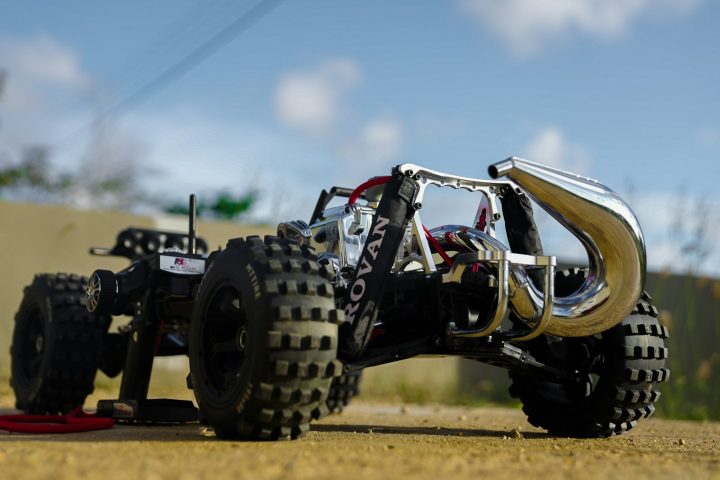
Photo: @chrispeter2000 via Unsplash
In this article
Affiliate disclosure: As an Amazon Associate, RemoteControlCarsBlog may earn from qualifying purchases.
Data-Driven Driving
Voltage, motor temps, RPM, real speed — modern RC cars can stream it all live to your transmitter while you drive. Here’s how telemetry actually works, which system tier fits you, and how the data saves batteries, motors, and races.
Full-size race teams would never run blind — every lap, the pit wall watches temperatures, voltages, and speeds stream in live. Your RC car can do exactly the same thing. RC car telemetry systems send real-time data from sensors in the car back to your transmitter while you drive: battery voltage, motor and ESC temperature, RPM, even GPS-verified speed. A modern RC telemetry setup #ad turns guesswork — “is the motor getting hot? is the pack getting low?” — into numbers on a screen and alarms in your hand.
If you’re searching this, you’re probably here for one of three reasons: you’ve seen “telemetry-capable” on radio boxes and want to know if it’s marketing fluff or a real feature; you’ve cooked a motor or over-discharged a battery and never want to repeat it; or you’re chasing lap times and suspect the fast drivers know something about their cars that you don’t. All three instincts are correct — and telemetry answers all three.
This guide explains the whole picture in plain English: what telemetry actually measures and why each number matters, the hardware that makes it work, the four system tiers from free-built-in to full data logging, comparison tables to pick your level, a step-by-step setup method, the real-life saves that make believers out of skeptics, and the honest cases where telemetry is overkill. By the end, your car stops being a mystery in motion — it becomes a machine that reports.
In this guide
- What are RC car telemetry systems?
- Why everyone’s adding telemetry in 2026
- What telemetry measures (and why each number matters)
- How the hardware actually works
- The four telemetry tiers, honestly reviewed
- Tiers compared: features vs cost
- Basher vs racer: using the data differently
- Setting up telemetry, step by step
- Real life: the save and the secret
- Is telemetry worth it? Who should and shouldn’t
- Common mistakes to avoid
- Pro tips from the pit wall
- Frequently asked questions
🧩 What are RC car telemetry systems?
Normally, RC radio traffic flows one way: transmitter to car. Telemetry adds the return channel — a telemetry-capable receiver in the car gathers readings from sensors and streams them back to your transmitter, live, while you drive. The data appears on the radio’s screen (or a linked phone app), and the system can sound alarms the moment any value crosses a limit you set.
In practice, that means your transmitter beeps before the battery sags dangerously low, shows you the motor’s temperature climbing before it cooks, and tells you your actual top speed instead of the number forum optimism invented. It’s the same idea as the dashboard in your real car: the machine constantly self-reports, and you drive better because you know.
💡 TIP: You may already own telemetry without knowing it. Many mid-range radio systems include receiver voltage telemetry out of the box — check your transmitter’s menu for a “telemetry” or “sensor” page before buying anything.
📈 Why everyone’s adding telemetry in 2026
Telemetry used to be an exotic racer luxury; three shifts made it mainstream. First, it stopped being expensive. Telemetry-capable receivers now ship with ordinary mid-range radios, sensors cost less than a set of tires, and “smart” ESC ecosystems build the sensing directly into electronics you were buying anyway.
Second, the hardware got worth protecting. Brushless power and lithium batteries made modern cars faster and pricier than ever — and both technologies punish ignorance. A LiPo over-discharged a few too many times is a dead LiPo; a motor run hot all summer is a slow motor forever. Telemetry is cheap insurance on expensive electronics, and owners have done that math. Third, the culture went data-driven. GPS speed-run videos, lap-timing apps, and “show your telemetry screen” posts normalized numbers in a hobby that used to run on feel — and once you’ve seen your real top speed and real motor temps, driving blind feels like driving with your eyes closed.
The short version: the cars got smarter, the stakes got higher, and the data got cheap. Telemetry simply became what sensible ownership looks like.
📊 What telemetry measures (and why each number matters)
Each sensor answers a specific, expensive question. Here’s the full menu and what every reading is actually for:
| Reading | The question it answers | What it saves you from |
|---|---|---|
| Battery voltage | How much pack is really left, under load? | Over-discharged LiPos — the #1 battery killer |
| Motor / ESC temperature | Is the power system inside its heat budget? | Cooked windings, weakened magnets, fried ESCs |
| RPM | How hard is the motor actually working? | Bad gearing guesses; pairs with temps for tuning |
| Speed (GPS or RPM-derived) | How fast is the car, really? | Wishful thinking; gives gearing changes a scoreboard |
| Signal strength (RSSI) | How solid is the radio link right now? | Range surprises and runaway cars at the edge of reach |
| Receiver voltage | Is the BEC keeping the electronics fed? | Brownouts — the invisible cause of “glitchy” steering |
Notice the pattern: every row is a failure you’d otherwise discover after it cost you something. That’s telemetry’s core value — it moves bad news earlier, while it’s still free.
⚙️ How the hardware actually works
A telemetry chain has three links. Sensors do the measuring: a small temperature probe zip-tied or taped to the motor can, an RPM sensor reading the motor or driveshaft, voltage sensing wired to the pack (and often built into the receiver itself). The telemetry receiver collects those readings and transmits them back on the same 2.4GHz link your controls use — no extra radio, no interference with your steering. The transmitter displays the numbers, logs them on better systems, and — most importantly — runs your alarms.
The crucial compatibility fact: telemetry is an ecosystem feature. Sensors, receiver, and transmitter generally need to speak the same brand’s protocol — a sensor from one system won’t plug into another’s receiver. The modern shortcut is the “smart” ESC route: ESCs and batteries with sensing built in, reporting voltage, temperature, and RPM through a single connection with almost nothing to install.
✅ PRO INSIGHT: Alarms are the feature, screens are the bonus. You can’t read a display mid-corner — but a loud low-voltage beep reaches you at full speed. A telemetry system configured with two good alarms (voltage and temperature) protects your gear even if you never glance at the screen again.
🛒 The four telemetry tiers, honestly reviewed
1. Built-in receiver telemetry (the free tier)
Overview: Many telemetry-capable radios report receiver voltage and signal strength with zero added hardware. Best for: everyone — it’s already in the box. Pros: free; catches brownouts and range problems. Cons: no motor temps, no pack voltage on most setups. Recommendation: turn it on today and set the RX-voltage alarm; it’s the five-minute upgrade you already own.
2. Sensor-based telemetry (the classic kit)
Overview: Add-on probes — a telemetry temperature sensor #ad, RPM sensor, and voltage lead — plugged into a matching telemetry receiver. Best for: tuners and racers who want specific numbers from specific places. Pros: measure exactly what you choose, where you choose. Cons: brand-locked sensors; some wiring and mounting work. Recommendation: the sweet spot for anyone tuning gearing or timing seriously.
3. Smart ESC / battery ecosystems (the integrated tier)
Overview: A smart ESC #ad with sensing built in reports voltage, temps, RPM, and current through one connection — some battery lines even report per-pack data. Best for: drivers buying or upgrading electronics anyway. Pros: near-zero installation; richest data per dollar. Cons: deepest ecosystem lock-in — it works best when ESC, RX, and TX share a brand. Recommendation: the path of least resistance if you’re already shopping for power electronics.
4. GPS speed loggers (the scoreboard tier)
Overview: A self-contained GPS speed meter #ad that rides in any car and records true speed — many work with no radio integration at all. Best for: speed-run fans and settle-the-argument sessions. Pros: works with any car or radio; objective numbers. Cons: one metric; usually reviewed after the run, not live. Recommendation: the fun-per-dollar champion — and the honest referee your group’s top-speed claims deserve.
🆚 Tiers compared: features vs cost
| Tier | Cost tier | Data you get | Install effort | Live alarms |
|---|---|---|---|---|
| Built-in RX telemetry | Free (if owned) | RX voltage, signal | None — menu setting | Yes |
| Sensor kit | $–$$ | Temps, RPM, pack voltage — your choice | Moderate | Yes |
| Smart ESC ecosystem | $$–$$$ | Voltage, temps, RPM, current — integrated | Minimal | Yes |
| GPS speed logger | $ | True speed (and runs log) | Trivial — strap it in | Usually not |
🏁 Basher vs racer: using the data differently
The same numbers serve two very different owners:
| Telemetry use | Weekend basher | Club racer |
|---|---|---|
| Main mission | Protection — alarms guard packs and motor | Tuning — data drives gearing and timing calls |
| Key readings | Pack voltage, motor temp | Temps + RPM + voltage sag together |
| Right tier | Built-in + one temp sensor, or smart ESC | Full sensor kit or smart ecosystem with logging |
| Payoff | Batteries and motors that last seasons longer | Setup changes judged by numbers, not vibes |
Both columns share one truth: the alarm thresholds matter more than the hardware tier. A basher with one well-set voltage alarm protects more equipment than a racer with six sensors and no limits configured.
🔧 Setting up telemetry, step by step
Here’s the clean method for a typical sensor-based setup — smart-ESC systems skip straight to steps five through seven.
The seven-step telemetry setup
- Confirm the ecosystem first. Check that your transmitter supports telemetry, that your receiver is a telemetry model, and that the sensors you’re buying match that system. This one check prevents the entire category of regret purchases.
- Bind and verify the link. Bind the telemetry receiver normally, then open the transmitter’s telemetry page and confirm the built-in readings (RX voltage, signal) are already flowing. No data here means fix the link before touching sensors.
- Mount sensors where the heat and motion actually are. Temperature probe flat against the motor can (not floating in air), secured with the supplied tape or a small zip tie; RPM sensor aligned per its instructions; voltage lead to the pack connector.
- Route wires like they matter — because they do. Sensor leads follow the same rules as light wiring: away from driveshafts, gears, and steering, anchored every few inches, slack only where the body lifts.
- Name and verify every reading. On the telemetry screen, confirm each sensor reports sanely: room-temperature temps, full-pack voltage, zero RPM at rest. A sensor that reads nonsense on the bench reads nonsense at speed.
- Set the two alarms that earn their keep. A pack-voltage alarm comfortably above damage territory (your battery’s manual is the guide), and a motor-temp alarm at your heat ceiling — many pits use roughly 160°F / 70°C as the rule-of-thumb line. Make both loud.
- Shake down, then trust it. Run a normal pack while watching nothing — just listening. If the alarms stay quiet, drive on. When one sounds, come in immediately, every time. An alarm you negotiate with is an alarm you don’t have.
⚠️ WARNING: Telemetry reads the sensor’s location, not the whole machine. A probe on the motor can reads cooler than the windings inside, and pack voltage under load differs from resting voltage. Set alarm margins conservatively, and let an infrared temp gun spot-check your sensor’s honesty now and then — the two tools agree on a healthy car.
💡 Real life: the save and the secret
The save. Reza runs a 4×4 truck on weekends and has already retired two LiPos the slow way — “one more lap” until the packs puffed. His new radio turns out to have telemetry built in; one voltage lead and one alarm threshold later, the transmitter starts doing the discipline for him. The first time it beeps mid-session, he’s annoyed. The fifth time, he realizes those would all have been over-discharges — and the pair of packs he bought that spring are still healthy the following spring. The telemetry paid for itself by costing him laps.
The secret. At the club track, Priya can’t figure out how the fast guy in her class runs the same motor harder without cooking it. The answer turns out to be on his transmitter screen: motor temps live, lap after lap. He gears to the track each race day — one tooth at a time — watching the temperature trend instead of guessing, and backs off the moment the trend says so. She adds a temp sensor, copies the method, and her “is this gearing safe?” anxiety becomes a number she can check at full speed. Two race days later she’s running his gearing — legitimately, because now she can see what he sees.
Two owners, two tiers, one pattern: telemetry didn’t make either car faster by itself — it made the humans braver and the hardware safer at the same time. That combination is the entire product.
“Driving without telemetry isn’t braver — it’s just later. The car was always generating this data; the only question is whether you hear about it before the damage or after.”
💰 Is telemetry worth it? Who should and shouldn’t
Worth it for: anyone running LiPo batteries (the voltage alarm alone justifies the whole category — it’s the cheapest battery insurance sold); anyone pushing power with gearing or timing changes (temps turn tuning from gambling into engineering); racers who want setup decisions judged by data; owners whose radios already include telemetry (activating a feature you own is free); and the fly-and-drive crowd already comfortable with telemetry from the air side.
Skip or defer it if: your radio system has no telemetry path and you’re otherwise happy — upgrading an entire radio ecosystem just for telemetry rarely makes sense (a cheap standalone LiPo voltage alarm and an infrared temp gun cover the safety basics for less); your car is toy-grade with sealed electronics; or you know yourself well enough to admit you’d never configure the alarms — unconfigured telemetry is just a screensaver. Final recommendation: if the capability is already in your radio, turn it on this week; if you’re buying electronics anyway, buy smart ones; if neither, the temp-gun-and-voltage-checker combo remains a respectable analog life.
🚫 Common mistakes to avoid
- Buying sensors before checking the ecosystem. Telemetry parts are brand-locked. Receiver, transmitter, and sensors must speak one protocol — verify before checkout.
- Installing telemetry and skipping the alarms. A screen you never read protects nothing. The alarms are the product; configure them on day one.
- Negotiating with the voltage alarm. “One more lap” after the beep is exactly the discharge the alarm exists to prevent. The beep means in, now, every time.
- Mounting the temp probe in the airflow. A sensor floating near the motor reads the breeze, not the can. Flat contact, secured, or the number is fiction.
- Treating sensor numbers as gospel. Probes read their location with real margins. Conservative thresholds plus occasional temp-gun spot checks keep the data honest.
- Drowning in data. Six readings you ignore are worth less than two you act on. Start with voltage and temperature; add metrics only when a real question needs them.
💡 Pro tips from the pit wall
- Learn your car’s normal. Note typical temps and end-of-pack voltage for a few ordinary sessions. Telemetry’s superpower is spotting change — and change only shows against a known baseline.
- Use temps to referee gearing and timing. Every pinion or timing change gets a temperature verdict the same session. It’s the exact method from our motor timing guide, with the thermometer now riding in the car.
- Watch voltage sag, not just resting voltage. How far the pack dips under full throttle tells you about battery health and true grunt — a growing sag on an aging pack is your early retirement notice.
- Log race days if your system can. Reviewing a temperature trace after the main reveals what mid-race adrenaline hid — the overheating that started on lap three, the sag after the triple.
- Set distinct alarm tones. If voltage and temperature sound identical, you’ll guess wrong at speed. Different sounds, instant decisions.
- Check RSSI at your biggest venue. Walk the far end of the field watching signal strength once — you’ll learn your real radio range before a runaway teaches it to you.
❓ Frequently asked questions
What does a telemetry system do on an RC car?
It streams live data from the car back to your transmitter while you drive — battery voltage, motor and ESC temperature, RPM, speed, and signal strength — and sounds alarms when any reading crosses limits you set, protecting batteries and motors in real time.
Do I need special equipment for RC telemetry?
You need a telemetry-capable transmitter and receiver from the same system, plus optional sensors for temps, RPM, and pack voltage. Many mid-range radios include basic telemetry already, and smart ESCs build the sensors into electronics you may be buying anyway.
Can telemetry stop me from killing LiPo batteries?
It’s the best tool for exactly that. A live pack-voltage alarm calls the car in before the battery over-discharges — the most common way LiPos die. Set the threshold per your battery’s guidance and obey the beep every time.
Do telemetry sensors work across radio brands?
Generally no — telemetry is an ecosystem feature, and sensors, receiver, and transmitter need to speak the same brand’s protocol. Standalone GPS speed loggers are the exception: they ride in any car with no radio integration.
Does telemetry add lag or hurt my radio’s control signal?
No — telemetry rides the same modern 2.4GHz link as your controls by design, and steering and throttle keep priority. You get the data channel essentially free, with no meaningful effect on control feel or range.
What telemetry alarms should I set first?
Two: a pack-voltage alarm set comfortably above damage territory, and a motor-temperature alarm at your heat ceiling — many pits use roughly 160°F (about 70°C) as the rule-of-thumb line. Loud, distinct tones, obeyed immediately.
🏁 Final verdict and action checklist
The verdict: RC car telemetry systems are the rare upgrade that pays in both directions — protecting expensive batteries and motors today while making every tuning decision smarter tomorrow. If your radio already supports it, activation is free and overdue; if you’re buying electronics anyway, the smart route costs almost nothing extra; and even the skeptic’s car deserves the two alarms that matter. The car is already talking. Listening is a menu setting.
Your action checklist
- Tonight: open your transmitter’s menu and check for a telemetry page — you may already own the free tier.
- Pick your tier: built-in (free protection), sensor kit (the tuner’s choice), smart ESC (buying electronics anyway), GPS logger (the speed scoreboard).
- Verify the ecosystem before buying: transmitter, receiver, and sensors must share one protocol.
- Install with the seven-step method, then set the two alarms that matter — pack voltage and motor temp — loud and distinct.
- Live by two rules: learn your car’s normal numbers, and never negotiate with an alarm. That’s the entire discipline.
Browse RC telemetry gear on Amazon →
#ad — as an Amazon Associate we earn from qualifying purchases.
Keep exploring
This article contains affiliate links. As an Amazon Associate, we earn from qualifying purchases made through links on this page, at no additional cost to you. All brand names and trademarks mentioned belong to their respective owners; their use here is for identification purposes only.

admin
Our editors are RC drivers first: every guide is written by someone who has owned, broken and rebuilt the category they cover. No paid placements, no fabricated ratings.